
I have so many ideas spinning around in my head and Private-Cloud was growing and changing fast. I need something simple, secure, searchable and flexible to store my ever growing notes, procedures and knowledge base.
I need a self-hosted personal private Wiki.
The Birth of Info-Cloud
Info-Cloud is a super lightweight, wiki software designed for creating and managing documentation. Unlike many other platforms, it doesn’t require a database, making it incredibly easy to set up and maintain. It’s perfect for individuals or small teams who need a private, secure place to store notes, procedures, or any kind of structured information.
Why Info-Cloud Works So Well for Private Note Storage
No Database, No Hassle
Info-Cloud stores all data in plain text files, which means I didn’t need to mess with database setups or configurations. This simplicity was a huge win for me since I wanted a tool I could set up quickly on my private server without relying on external hosting services.Top-Notch Privacy and Security
Since I’m storing sensitive notes and procedures, privacy is critical. Info-Cloud’s Access Control List (ACL) system lets me control who can view or edit my wiki. I set it up on a local server, ensuring my data stays completely private and isn’t exposed to third-party cloud services. For added security, I can encrypt specific pages or use HTTPS for secure access.Easy-to-Use Interface and Syntax
Info-Cloud’s clean interface and simple syntax made it easy for me to start writing notes right away. Whether I’m jotting down a quick idea or documenting a detailed procedure, the Markdown-like syntax is intuitive and doesn’t require a steep learning curve. Plus, the WYSIWYG editor option makes formatting a breeze.Version Control for Peace of Mind
Mistakes happen, and I love that Info-Cloud automatically tracks revisions. If I accidentally delete a section of my notes or need to revert to an earlier version of a procedure, I can do so with a couple of clicks. This feature ensures I never lose critical information.Flexible Organization with Namespaces
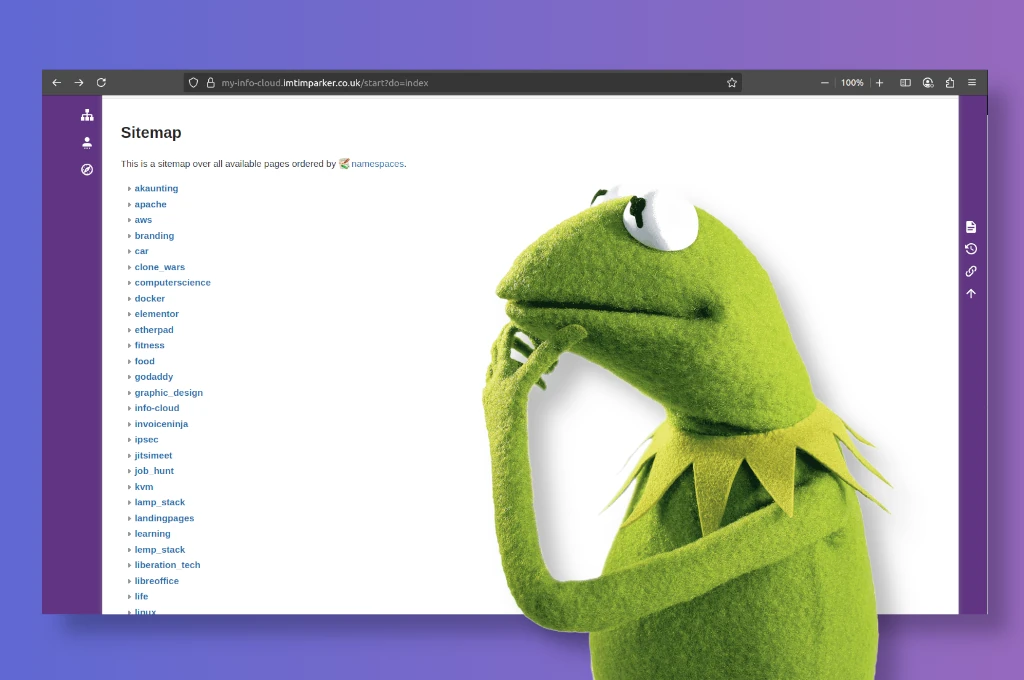
Info-Cloud’s namespace system lets me organize my notes hierarchically. For example, I have separate namespaces for “Work Procedures,” “Personal Notes,” and “Project Ideas.” This keeps everything tidy and easy to navigate, no matter how many notes I add.Customisable with Plugins
Info-Cloud offers a wide range of plugins to extend its functionality. I added plugins for tasks like embedding diagrams, creating tables, and even integrating a search bar for quick access to my notes. This flexibility means I can tailor Info-Cloud to fit my specific needs.Lightweight and Fast
Unlike heavier platforms that slow down with large datasets, Info-Cloud runs smoothly even on low-resource servers. This makes it ideal for my private setup, where I want performance without needing high-end hardware. My personal Info-Cloud is currently running on a tiny Pi Zero. Going green too now. 🙂Offline Capabilities
Since I host Info-Cloud locally, I can access my notes and procedures even without an internet connection. This is perfect for times when I’m working remotely or in areas with spotty connectivity. I could with the help of XAMP, run it off of a usb drive if I wanted to.
How I Use Info-Cloud for Notes and Procedures
I use Info-Cloud to store everything from daily to-do lists to detailed step-by-step procedures for work projects. For instance, I’ve documented processes like “How to Set Up a New Client Account” or “Troubleshooting Common Software Issues.” The search function makes it easy to find specific notes, and the ability to link pages keeps related information connected. For personal use, I’ve created sections for recipes, fitness routines, and even brainstorming ideas for hobbies. The ability to keep everything in one secure, searchable place has saved me countless hours.
I considered alternatives like Notion, Evernote, or MediaWiki, but they didn’t quite fit my needs:
Notion and Evernote rely on somebody elses cloud storage, which I wasn’t comfortable with for sensitive data. Privacy is key.
MediaWiki felt too complex for my simple note-taking needs. Info-Cloud struck the perfect balance of simplicity, privacy, and power.
Info-Cloud has transformed the way I store and manage my notes and procedures. Its simplicity, privacy features, and flexibility make it ideal for anyone looking to create a personal knowledge base without relying on cloud services. Whether you’re documenting work processes, personal projects, or random ideas, Info-Cloud is a powerful yet user-friendly addition to my privacy toolset.
I’m of to take some private notes. Till next time.
Tim