
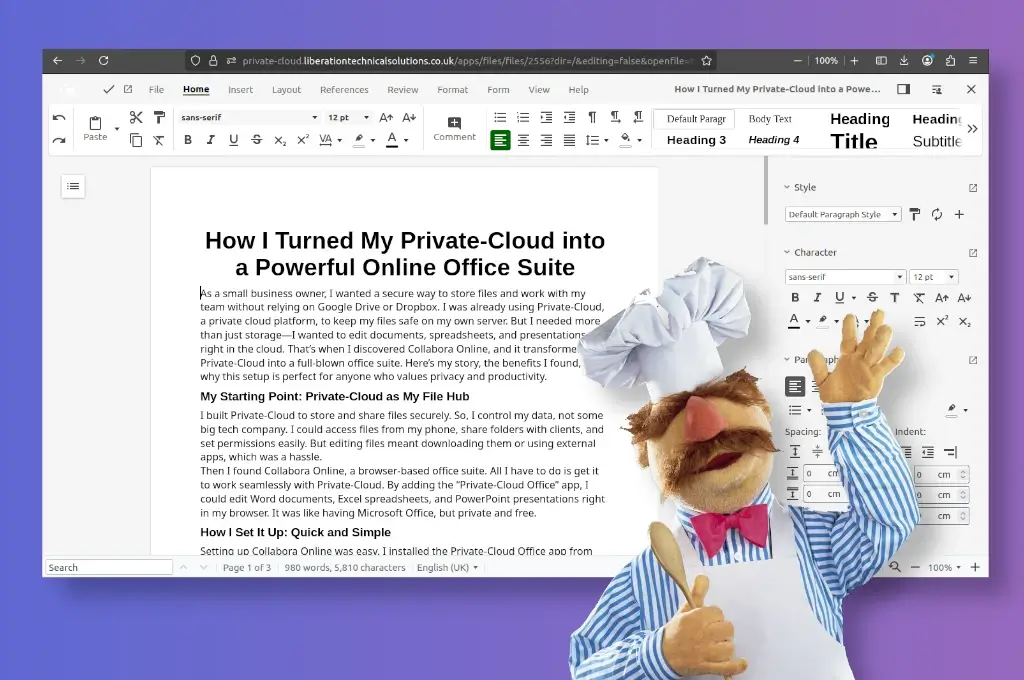
As a small business owner, I wanted a secure way to store files and work with my team without relying on Google Drive or Dropbox. I was already using Private-Cloud, a private cloud platform, to keep my files safe on my own server. But I needed more than just storage—I wanted to edit documents, spreadsheets, and presentations right in the cloud. That’s when I discovered Collabora Online, and it transformed my Private-Cloud into a full-blown office suite. Here’s my story, the benefits I found, and why this setup is perfect for anyone who values privacy and productivity.
My Starting Point: Private-Cloud as My File Hub
I built Private-Cloud to store and share files securely. So, I control my data, not some big tech company. I could access files from my phone, share folders with clients, and set permissions easily. But editing files meant downloading them or using external apps, which was a hassle.
Then I found Collabora Online, a browser-based office suite. All I have to do is get it to work seamlessly with Private-Cloud… By adding the “Private-Cloud Office” app, I could edit Word documents, Excel spreadsheets, and PowerPoint presentations right in my browser. It was like having Microsoft Office, only private and under my control.
I installed Collabora Online on a new separate server so that it could be used for multiple Private-Clouds and linked it to Private-Cloud and it worked perfectly for me.
Benefit 1: Teamwork Made Easy with Real-Time Editing
My team can now edit files together in real-time. We can work on the same document, see each other’s changes instantly, and add comments. For example, my assistant and I updated a client proposal during a video call, and it was smooth—no more emailing “version 3” or “final_final.docx.”
Even for personal use, like planning a family budget.
Benefit 2: My Data Stays Private and Secure
Privacy is everything for my business. With Collabora Online and Private-Cloud, my files stay on my server—no one else can peek. Unlike Google or Microsoft, which might scan your data, this setup keeps everything locked down. It’s also GDPR-compliant, which my clients love.
I can share files securely with anyone, even across different Private-Cloud servers, without worrying about leaks. It’s like having my own private cloud office.
Benefit 3: It Works with All My Files
Collabora Online handles all file types I use—Word (DOCX), Excel (XLSX), PowerPoint (PPTX), and more. My documents look perfect, with no formatting issues, even when clients open them in Microsoft Office. I can add fancy features like charts, QR codes, or flowcharts easily.
Benefit 4: Edit Anywhere, Anytime
I’m always on the move, and now Private-Cloud lets me edit files on my phone, tablet, or laptop. The interface is easy to use, even on a small screen. I can tweak a document during a coffee break or review a contract on a train. There’s even an app for offline editing that syncs later.
This flexibility means I’m never tied to my desk, which is a lifesaver for busy days.
Benefit 5: Saves Money and Grows with Me
As a small business, I can’t afford expensive subscriptions. This new Private-Cloud is subscription-free, and I’m still only paying for domain name. The wins just keep getting bigger. It’s way cheaper than Microsoft 365, but just as powerful.
Plus, it can handle big teams—millions of users if needed—so it’ll grow with my business. I’m also not locked into a specific vendor, which gives me freedom.
Benefit 6: Everything in One Place
Collabora Online fits perfectly with Private-Cloud. I can edit a document, attach it to a task, or share it via email—all in Private-Cloud, and sent it to a client without switching apps.
It’s like having a complete office hub—files, chat, calendars, and now a full office suite—in one place.
I tried other tools like OnlyOffice, but Collabora Online was more reliable and better at handling complex files. Unlike Google or Microsoft, it prioritizes my privacy and gives me control.
Turning my Private-Cloud into an office suite with Collabora Online was a no-brainer. It’s secure, easy to use, and makes teamwork a breeze while saving me money.
This self-hosting privately adventure, though tricky at time is proving to be well worth the effort.
On to the next privacy challenge
Tim